
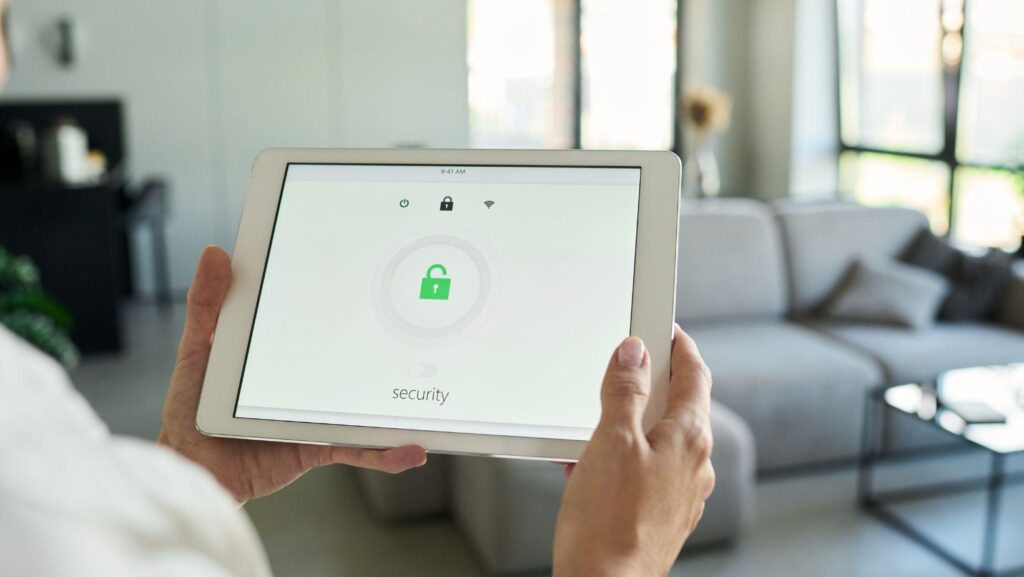
A smart doorbell records a visitor. A thermostat learns when a house is empty. A voice assistant catches a command, while a connected lock logs exactly when someone comes home. Each event looks domestic, but the data path behind it can cross mobile apps, cloud platforms, analytics services, support systems, and regional storage zones.
That makes Cloud Data Security a business issue, not merely a consumer privacy concern. Employers increasingly support hybrid work, residential systems mingle with corporate endpoints, and executives may discuss sensitive matters within range of household microphones.
The home is now an unofficial edge location. Security teams don’t own it, yet they may still inherit part of its risk.
The Data Journey Starts Before the Cloud
Device data doesn’t move through one tidy pipe. A camera may process motion locally, upload a clip, send a notification through a separate service, retain diagnostic logs, and share selected metadata with an integration chosen by the user. Mapping that chain is harder than asking where recordings are stored.
Collection at the Device
Smart home products can collect obvious content such as video, audio, temperature, access events, and energy use. They also create quieter signals: IP addresses, device identifiers, wireless network details, timestamps, location clues, firmware versions, and usage patterns.
Metadata deserves particular attention. A single lock event says little. Months of lock events may reveal working hours, travel routines, or periods when a property is vacant. Context changes the risk.
Processing in Apps and Gateways
Some information passes through a phone, home hub, or local gateway before reaching remote infrastructure. That creates overlapping trust zones. Cloud Data Security can protect information in remote infrastructure, but it won’t repair an outdated mobile operating system, an overprivileged app, or a home router exposing weak administration settings.
This is where enterprise cloud data security practices offer a useful lens. Inventory, access control, encryption, retention, backup policy, and deletion aren’t enterprise-only ideas. They also help explain whether household data remains controlled once it leaves the device.
Storage, Analysis, and Secondary Use
Cloud storage is only part of the story. Effective Cloud Data Security must also account for information analyzed to improve detection, train features, troubleshoot faults, personalize services, or support integrations.
Raw content might be deleted while derived profiles, event summaries, or operational logs remain.
So, where does the data go? Often, several places at once. The better question is which parties can access each copy, for what purpose, in which jurisdiction, and for how long.
Why Security Teams Should Care About Household IoT
A home device may sit outside formal asset management, but it can still intersect with business systems. Remote employees use the same local network for laptops, printers, cameras, streaming boxes, and connected appliances. Segmentation isn’t guaranteed. Neither is competent patching.
The risk isn’t limited to a device becoming an entry point. Consider a senior employee taking confidential calls beside an internet-connected speaker, or a home camera account tied to the same email address used for work recovery. Credential reuse, password reset paths, and exposed personal routines can give an attacker useful material without touching the corporate perimeter.
There’s a governance wrinkle too. Security awareness programs often tell staff to protect company data but stop at the managed laptop. That boundary now feels artificial. A sensible policy can address nearby recording devices, shared home networks, account hygiene, and confidential conversations without pretending the employer controls someone’s house.
A Practical Review Framework
A practical Cloud Data Security review shouldn’t begin with product labels. It should begin with data flows.
1. Identify What the Device Can Observe
List direct content and inferred information. Include microphones, cameras, sensors, contact lists, location access, user profiles, and behavioral records. Then ask whether every collected field is needed for the stated function.
2. Trace Every Service Connection
Document the device, companion app, cloud account, identity provider, home hub, automation platform, and support channel. Review optional integrations separately. Each connection adds permissions, tokens, logs, and another failure mode.
For a practical consumer-side companion, this guide to smart home safety covers remote control, account protection, and device management considerations in a household setting.
3. Test Identity and Recovery Paths
Strong passwords and multifactor authentication matter, but recovery deserves equal scrutiny. Can an account be reset through a weak email address or easily guessed security information? Are household members sharing one administrator login? Can old phones still reach the account?
Access should be narrow, attributable, and removable. Otherwise, nobody knows who viewed a recording or changed a lock rule.
4. Examine Retention and Deletion
Ask four awkward questions:
- How long are recordings, event histories, and diagnostics retained?
- Can users choose shorter periods?
- Does deletion cover backups and derived data?
- What happens when the subscription ends, or the device is sold?
A delete button isn’t proof of deletion. Procurement and risk teams should look for clear policy language, export options, account closure steps, and realistic timelines.
5. Check Update Commitments
A device can remain physically functional long after security support stops. Buyers should know the support period before deployment, especially for locks, cameras, alarms, and products installed in executive residences or corporate accommodation.
The UK government’s guidance for using smart devices safely recommends changing default credentials, applying updates, using multifactor authentication where available, and reviewing the data a product collects. Those are basic controls. They’re still missed surprisingly often.
Controls That Hold Up During an Incident
What should a team prioritize when it can’t administer the device? Reduce dependency on trust.
Put corporate endpoints on a separate home network or guest segment where practical. Use phishing-resistant authentication for sensitive business access. Prevent personal email accounts from becoming recovery channels for privileged corporate identities. Give staff a simple reporting path when a household account, router, or connected camera is compromised.
Incident playbooks should also include questions that responders tend to ask late: Was a smart speaker nearby? Could a camera have captured a screen? Did the compromised email account control home automation services? Were tokens active on a lost phone?
Not every event will justify forensic work on household equipment. That’s fine. The goal is to spot plausible intersections early, record decisions, and avoid discovering them during an executive briefing.
Cloud Data Security Must Follow the Information
Smart homes blur personal space, cloud infrastructure, and corporate exposure in ways that policy diagrams rarely capture. Device data may pass through local hardware, mobile software, remote storage, analytics systems, and connected services before anyone considers its full value to an attacker.
Good Cloud Data Security starts by following that information rather than trusting a product category or a privacy toggle. For enterprise leaders, the practical task is modest but consequential: extend risk thinking beyond managed assets, give remote staff usable controls, and ask better questions about identity, retention, support, and recovery. The house doesn’t need to become a corporate network. It does need to stop being a blind spot.